How do add the DNS records to make my email sercice work?
info
If you have purchased a Web Hosting plan from us, we can add all of these DNS records for you, free of charge. Do not worry about this guide, instead please submit a ticket on our client portal and a member of our customer support team will sort this for you.
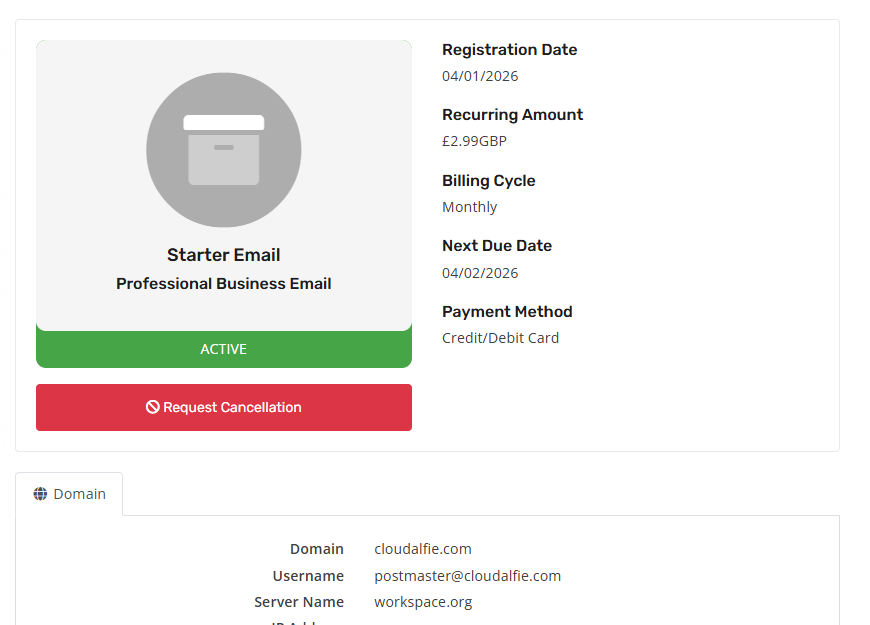
- After placing an order and having it accepted, head over to our client portal and click on My Services, then click on your email package. For reference, you should now see this page:
- Go ahead and scroll down, you should then see the required DNS records you are required to add to your domain. For reference, see the image below:
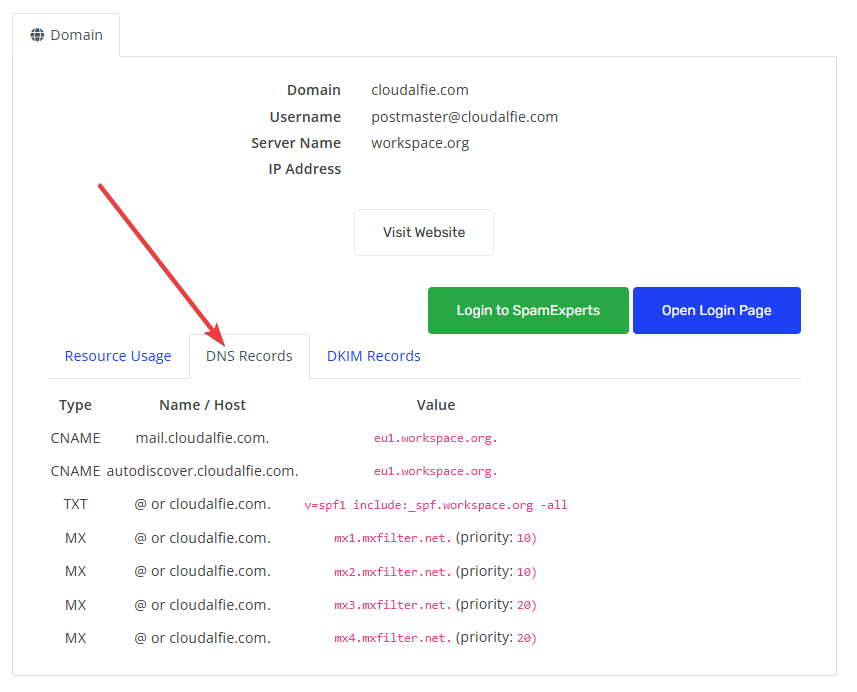
- In-order to make your domain work with emails, you are required to add the DNS records. Wherever your domain is, please add all these DNS records to your domain. If you are unsure how to do this, please look into your domain registars frequently asked questions and there should be a guide on how to do so.